
Create Face
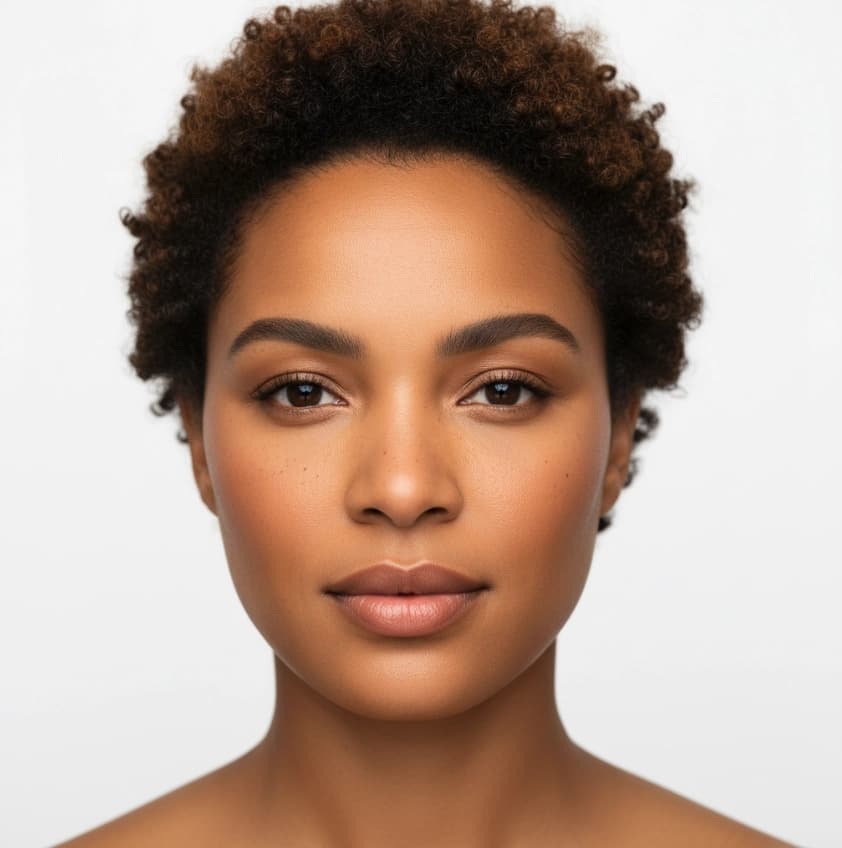
Generate a new face identity from a short text prompt. Create Face produces consistent faces you can reuse across model creation and swaps.
What is Create Face?
Create Face generates lifelike faces from text descriptions. Produce multiple angles and expressions of the same identity, then use those faces across Create Model, Model Swap, and other workflows. Create Face requires an Agency plan.
When to Use
Use Create Face when you need a specific face identity that does not exist yet. The generated faces work as Face References in other Studio tools.
How to Use It
Select Create Face from the Toolbar
Select Create Face from the toolbar in Studio.
Describe the Face
Write a clear prompt. Example: "woman in her 30s, warm brown skin, short curly hair, natural makeup."

Set Number of Images
Select how many images to create (1-4) and click Run.
Create Variations
After generation, the result opens in Edit automatically. Use prompts like "three-quarter view", "look up", or "slight smile" to create variations with different angles or expressions while preserving identity.
Use the Face
Find the face in Gallery and use it as a Face Reference in Create Model, Model Swap, Product to Model, or Face Swap.
Parameters
| Parameter | Description |
|---|---|
| Face prompt | Text that describes age, skin tone, hair style, and overall appearance. |
| Number of images | Choose how many images to generate (1-4). |
| Resolution | Auto (default), 1K, 2K, 4K. See Resolution & Generation Mode. |
| Generation Mode | Auto (default), Fast, Balanced, Quality. Auto selects the optimal mode for your input. See Resolution & Generation Mode. |
Best Practices
- It is highly recommended to upscale your favorite faces. Upscaling enhances skin, eyes, and hair details, increasing realism and improving results when using the image as a Face Reference.
Where Next?
After creating your ideal face, use it as a Face Reference in:
- Product to Model for consistent on-model visuals
- Model Swap for identity replacement
- Create Model for full model generation
- Face Swap for face-only changes