Face Swap
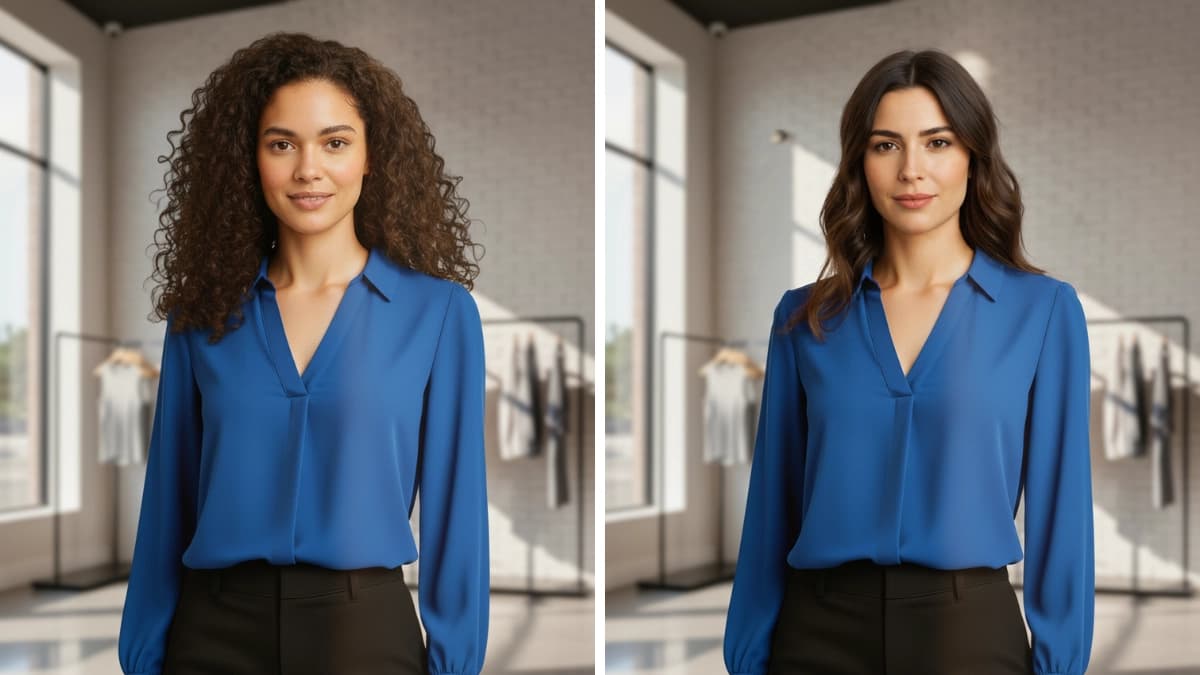
Update the model's face while keeping outfit, body shape, pose, and lighting unchanged. Use Face Swap to localize, personalize, or match a creative direction without changing the product.
What is Face Swap?
Face Swap is available on the Agency plan. It replaces the model's face in an existing image while keeping outfit, pose, lighting, and composition the same. Use it when the product image is already correct and only the face should change.
Want to change the entire person to a different identity, while keeping the product, pose, and background the same? Use Model Swap with Face Reference instead.
When to Use
Use Face Swap when the outfit, pose, and background are already correct and you only need to change the face. For changing the entire person, use Model Swap.
How to Use It
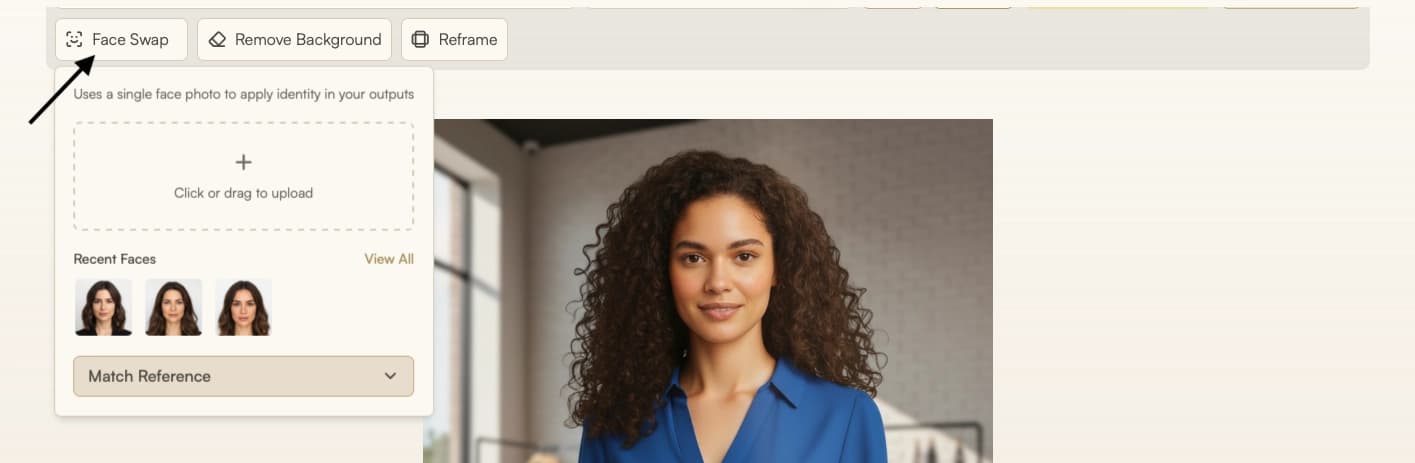
Select Face Swap from the Toolbar
Select Face Swap from the toolbar in Studio, then upload an image or choose one from your history where the outfit and pose are correct.
Add a Face Reference
Upload a clear face photo. Use a similar angle and lighting. You can also pick from Recent Faces.
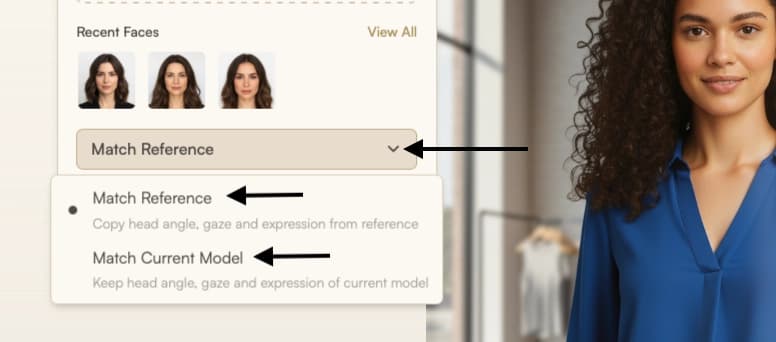
Choose "Match Reference" or "Match Current Model"
- "Match Reference" will keep the face reference's expression, head angle and gaze direction. This is recommended for maximum resemblance to the face reference.
- "Match Current Model" will attempt to match the face reference to the current model's face (looking direction, expression). This is recommended for more natural results.
Click Run to generate.
Parameters
| Parameter | Description |
|---|---|
| Source image | The image you want to edit, uploaded or selected from history. |
| Face reference | A clear face photo, ideally with a similar angle and lighting. Required to control identity. |
| Match Reference | Keep the face reference's expression, head angle and gaze direction. Recommended for maximum resemblance. |
| Match Current Model | Adapt the face reference to the current model's face direction and expression. Recommended for more natural results. |
Limitations
Face Swap is currently limited to 2K resolution output.
Best Practices
- Face Swap only changes the face, so the current model should already have the same gender, age, and ethnicity as the face reference for a natural swap.
- If the face reference is a different ethnicity, age, or gender, use Model Swap for a full body swap instead.
- To increase the reliability of the swap, use a face reference with a similar angle and lighting.
Troubleshooting
If the result does not look quite right, try:
- Face size mismatch: Use a face reference with a similar size to the subject. Match full-body images with full-body references and half-body images with half-body references.
Where Next?
After swapping the face, the post-result suggestion bar offers quick access to related tools:
- Increase resolution with Upscale
- Create more views or poses with Edit
- Adjust aspect ratio with Reframe
- Create motion clips with Image to Video