
Agent
The Agent helps you create images and videos through a natural-language conversation. Describe what you want in your own words, add images when helpful, and continue with new instructions to refine a result or create something completely new.
Open the Agent
From Home or the app sidebar
Select Agent in the app sidebar, or enter a prompt from Home. You can start a new conversation or reopen an earlier one from the conversation history.
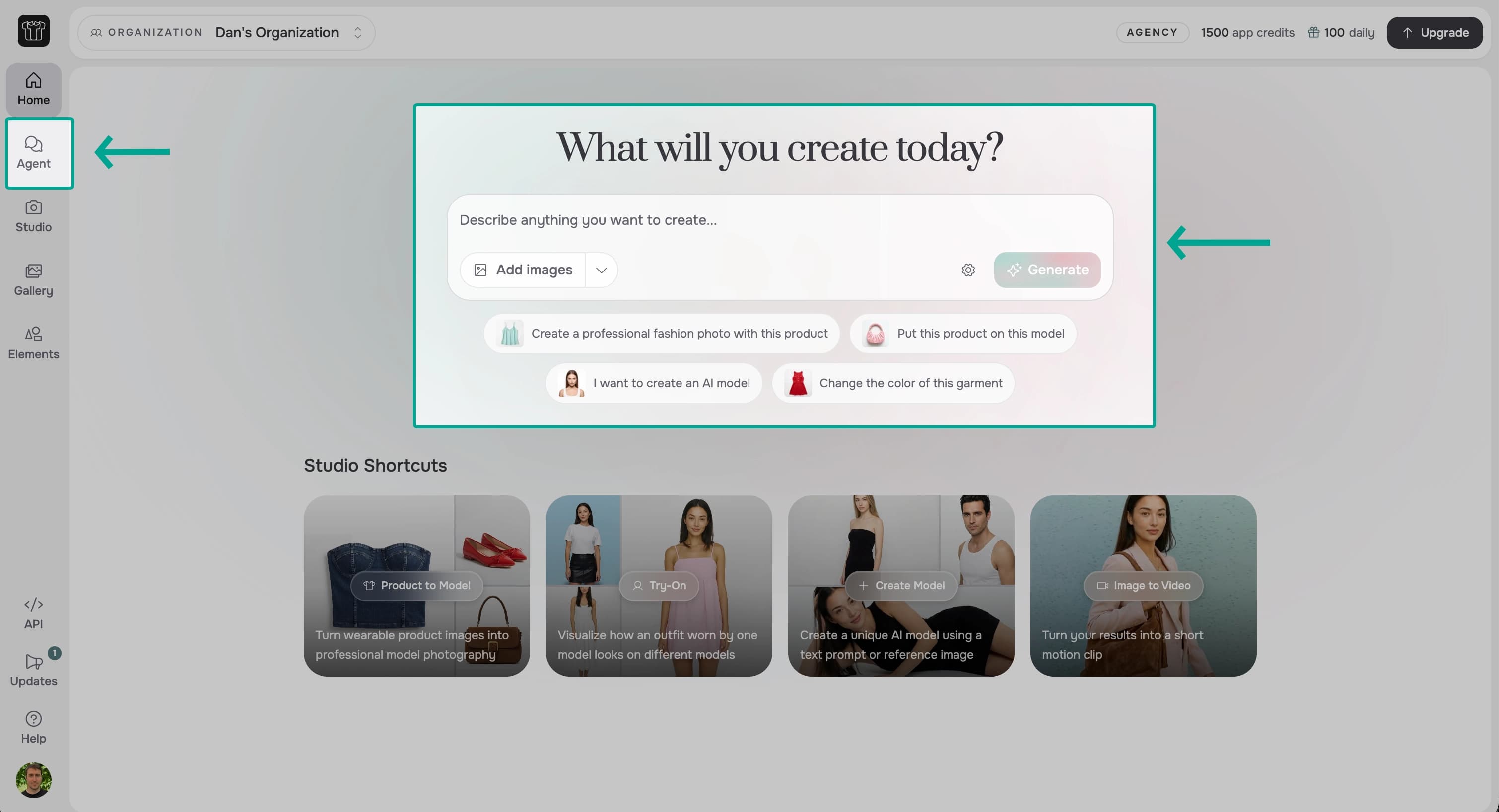
From Gallery
Agent is also available at the bottom of Gallery. Enter a request in the Agent message box, or add an image from Gallery when you want to use it in your request.

How it works
- Describe the result: Name the subject, product, setting, or change you want in plain language.
- Add images: Upload images, choose them from Gallery or Elements, or reference an image from the current conversation.
- Generate: Agent chooses the appropriate image or video process and creates the result.
- Continue the conversation: Ask for a change, refer to an earlier image, or create a variation. Start a new conversation when you begin an unrelated workflow.
Generated images and videos appear in the conversation and are also saved to Gallery.
What you can do
Create and edit images
Create new images, apply products, change scenes, and refine earlier results.
Create videos
Create a video using only text or add motion to an image.
Upscale images
Increase the resolution of an existing image.
Transparent images
Create images with transparency or remove a background.
Limitations
- Existing videos cannot be used as inputs.
- Images cannot be fetched from external URLs.
- Account and billing changes are not supported.
What's Next?
- Learn how to create and edit images.
- Use image references to identify a specific input or earlier result.
- Learn how to create videos, including how to use a start image and an end image.
- Upscale an image to increase its resolution.
- Create transparent images or remove a background.
- Choose your generation settings for aspect ratio, resolution, speed, and quality.